Start with the assigned day
Technicians see their scoped jobs, calendar context and available weather information.
Do not send the crew in blind
An installable English and French web app keeps the technician’s assigned work, context, and supported field actions available on phone or desktop. Access stays scoped, with limited offline support for previously opened data and queued field actions.
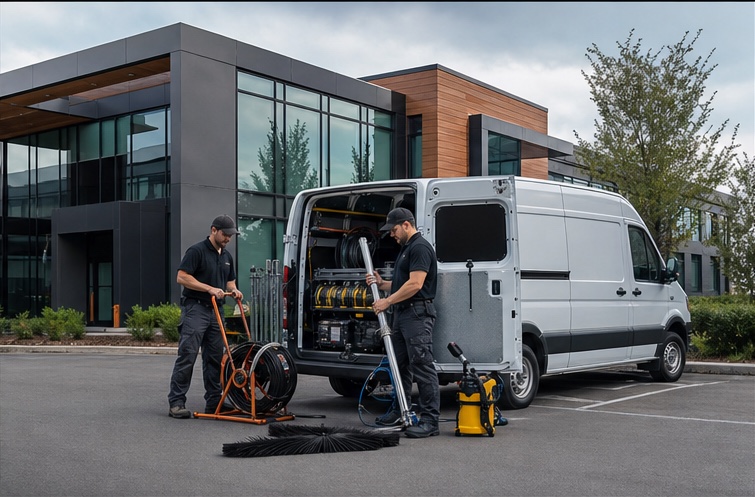
What it helps your team do
Technicians see their scoped jobs, calendar context and available weather information.
An AI-assisted pre-visit briefing can summarize available job and customer context for review.
Authorized technicians can build a quote while the assessment details are fresh.
Checklists, photos, signatures and deficiency evidence stay connected to the job.
Assigned vehicle and fuel information can be updated from the field workspace.
Previously opened GET data can remain available, while checklist, status and completion actions can queue for replay after reconnection.
How it fits the work
You decide what should start the work, which jobs qualify, what Opti-Terrain can complete, and when it should stop and ask. Your team can see what happened without digging through calls, texts, or somebody's memory.
A technician opens an assigned job before or during the visit.
Permissions, assignment and organization settings determine what that technician can view or change.
Opti-Terrain presents the scoped context and records permitted field updates, proof and status changes.
It asks the technician or office when a quote, deficiency, exception or final commitment needs human review.
See the result in the technician workspace and the shared job record after synchronization.
From office to field
The same request, schedule, customer details, photos, notes, status, and next action stay available as work moves from the office to the site.
Built around the job
This product area stays connected to the rest of the field-service workflow, so the next person does not have to reconstruct what happened from calls, texts, and memory.
Responsive, installable bilingual PWA
Technician-scoped jobs, customers, quotes and messages
Checklists, photos, signatures and deficiencies
Targeted offline queue for key field actions
Opti-Terrain
See how Opti-Terrain keeps the relevant records, rules, routine actions, exceptions, and results connected.